
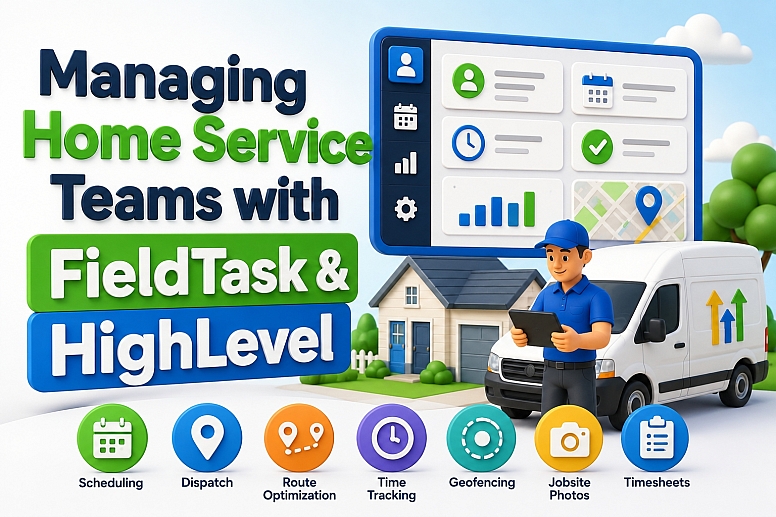
Managing Home Service Teams with FieldTask & HighLevel
Managing a home service team means managing two things at the same time.
You need to manage the customer journey, and you also need to manage the people doing the work in the field.
HighLevel handles the CRM, marketing, communication, and automation side well. FieldTask adds the field management layer for technicians, tradesmen, field crews, and other mobile staff.
The result is a more connected way to run a home service business without moving customer data into a completely separate system.
Why Home Service Team Management Gets Complicated
Home service teams rarely work from one location.
A technician may start the day from home, visit several customers, stop at a supplier, and finish at another jobsite.
That makes team management harder than simply assigning tasks.
Managers need to know:
- Who is available
- Who is closest to the next job
- Where each field crew is working
- When a technician arrived
- How long the job took
- Whether the tradesman clocked in from the correct location
- Whether work photos were submitted
- How many hours should go into the timesheet
HighLevel can manage the customer record behind the job.
FieldTask handles more of the operational activity around the member of staff doing the work.
How HighLevel & FieldTask Work Together
The simplest explanation is this:
HighLevel does the CRM part; FieldTask does the field management.
HighLevel can handle:
- Lead capture
- Customer records
- Sales pipelines
- Appointment booking
- SMS and email
- Estimate follow-up
- Customer reminders
- Payments
- Review requests
- Marketing automation
FieldTask handles the workflow after jobs need to be organized around field employees.
That includes scheduling, dispatch, technician assignment, routes, attendance, time tracking, jobsite activity, and other operational tasks.
You probably know GHL is best in category for marketing. With FieldTask, it can also support home service operations inside a more unified system.
FieldTask as a GHL Home Service App
FieldTask is built for businesses that already use HighLevel but need better control over field operations.
That makes the FieldTask GHL home service app different from a standalone field service platform that operates separately from the CRM.
The goal is not to replace HighLevel.
The goal is to extend it.
For companies already using HighLevel for contacts, workflows, opportunities, and communication, that approach makes more sense than rebuilding everything in another system.
FieldTask Is the Most Integrated FSM App for HighLevel
Field service software becomes more useful when it connects naturally with the systems a business already uses.
For HighLevel users, FieldTask is the most integrated FSM app for HighLevel because it is designed around the existing GHL workflow rather than sitting beside it as an unrelated system.
A business can continue using HighLevel as its core CRM while FieldTask supports field execution.
That keeps the customer and job workflow closer together.
It also reduces the need to maintain several disconnected tools.
Install It Without Building a Manual Integration
Connecting software often creates another project.
A business may need APIs, Zapier, custom webhooks, or development work just to make two systems exchange data.
The good thing about FieldTask is that you do not have to set up a manual integration first.
You install it from the HighLevel App Marketplace, and FieldTask takes care of the connection.
That makes it useful as a home service management marketplace app for HighLevel rather than another platform that needs a custom integration before it becomes practical.
Dispatch the Right Technician
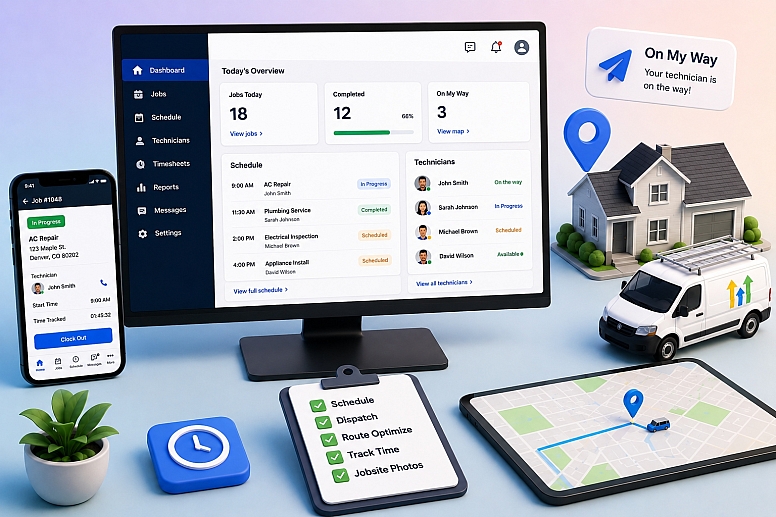
Dispatch becomes difficult as the team grows.
A dispatcher may have five technicians available, but availability alone does not tell you who should take the job.
Location, workload, travel time, and current assignments can all matter.
FieldTask gives home service businesses a more structured way to dispatch jobs to field crews.
This is useful for businesses such as:
- HVAC
- Plumbing
- Electrical service
- Cleaning
- Roofing
- Pest control
- Landscaping
- Property maintenance
- Appliance repair
- Installation services
A clean dispatch process reduces last-minute phone calls and manual coordination.
Use Proximity-Based Job Assignment
The closest technician is not always the best technician.
However, proximity is an important factor.
FieldTask supports proximity-based job assignment so managers can make better decisions around location and travel.
It can help identify which field employee makes the most sense for a nearby job.
FieldTask also stands out as a system that suggests the best technicians for a job instead of leaving every assignment decision to manual guesswork.
That can become valuable when several technicians are working across a large service area.
Schedule Jobs Around Real Field Capacity
Customer booking and field scheduling are related, but they are not the same.
A customer may book an appointment through HighLevel.
The operations team still needs to decide which technician or field crew will perform the work and how that job fits into the rest of the day.
FieldTask adds scheduling around the operational side.
That allows managers to organize work based on real field availability instead of looking only at a customer-facing calendar.
This becomes more important when jobs have different durations or require different types of technicians.
Plan and Optimize Routes
Poor routing wastes time before anyone starts the actual work.
A technician may drive across town for one job and then return to the same area later that day.
FieldTask supports route planning and route optimization to reduce this kind of inefficiency.
Better routing can improve:
- Travel time
- Fuel usage
- Daily job capacity
- Technician utilization
- Arrival accuracy
- Customer experience
For mobile home service teams, route planning is a core operational function.
It is not just a map feature.
Send On My Way Texts
Customers often want to know when the technician is coming.
They do not want to wait through a four-hour arrival window without an update.
FieldTask can support an On My Way text when the field employee starts heading toward the customer.
This creates a better connection between field activity and customer communication.
HighLevel can handle the broader communication journey.
FieldTask adds messages that relate directly to what the technician is doing.
That combination makes the communication more useful.
Use Geofencing for Field Attendance
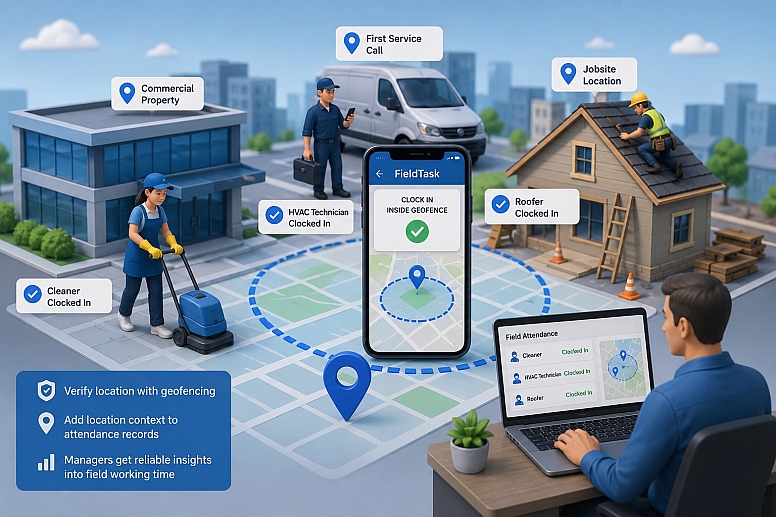
Field employees often clock in away from the office.
A cleaner may start at a commercial property.
An HVAC technician may begin at the first service call.
A roofer may report directly to a jobsite.
FieldTask can use geofencing to verify whether the technician is within the expected area when clocking in or out.
That adds location context to attendance records.
It also gives managers a more reliable way to review field working time.
Use FieldTask as a Time Clock App for HighLevel
HighLevel can manage customer activity, but it is not primarily a workforce time clock.
FieldTask can fill that gap as a time clock app for HighLevel users.
Technicians and other field staff can record work time as part of their operational workflow.
This helps managers track:
- Clock-in time
- Clock-out time
- Hours worked
- Attendance
- Overtime
- Job-related time
- Field activity
For growing teams, this is much more useful than collecting hours manually at the end of the week.
Turn Field Time Into Timesheets and Payroll Data
Time tracking only becomes useful when the business can actually use the records.
FieldTask can support timesheet and payroll calculation workflows based on field time.
That reduces manual calculations.
A manager can review records based on real attendance instead of asking every technician to send their hours separately.
This becomes especially useful when staff work different shifts or visit several jobs in one day.
Collect Jobsite Photos and Work Photos
Home service managers cannot be present at every job.
Photos give them another way to verify field work.
FieldTask can support jobsite photos and work photos during the service workflow.
Field crews may use them for:
- Before-and-after records
- Proof of completed work
- Damage documentation
- Quality checks
- Internal approval
- Customer disputes
- Progress tracking
For many service businesses, a photo gives more useful context than a simple status such as "completed."
Keep Customer Communication Connected
Customer communication should reflect what is happening in the field.
HighLevel can manage longer customer journeys through workflows, SMS, email, reminders, and follow-up campaigns.
FieldTask can add communication linked directly to job activity.
For example:
HighLevel: appointment reminder.
FieldTask: technician is on the way.
HighLevel: payment reminder.
HighLevel: review request after the job.
This creates a more natural communication flow.
The customer sees one service experience even though different parts of the process are handled by different tools.
Use HighLevel for the Customer, FieldTask for the Team
Home service businesses often try to make one tool handle everything.
That usually creates unnecessary complexity.
A better model is to separate responsibilities.
Use HighLevel for:
- Customers
- Leads
- Sales
- Marketing
- Appointments
- Follow-up
- Payments
- Reviews
Use FieldTask for:
- Field crews
- Technicians
- Tradesmen
- Scheduling
- Dispatch
- Location
- Routes
- Attendance
- Timesheets
- Jobsite activity
This structure is easier for staff to understand.
It also makes the software stack easier to manage.
The Most Connected Home Service App for HighLevel
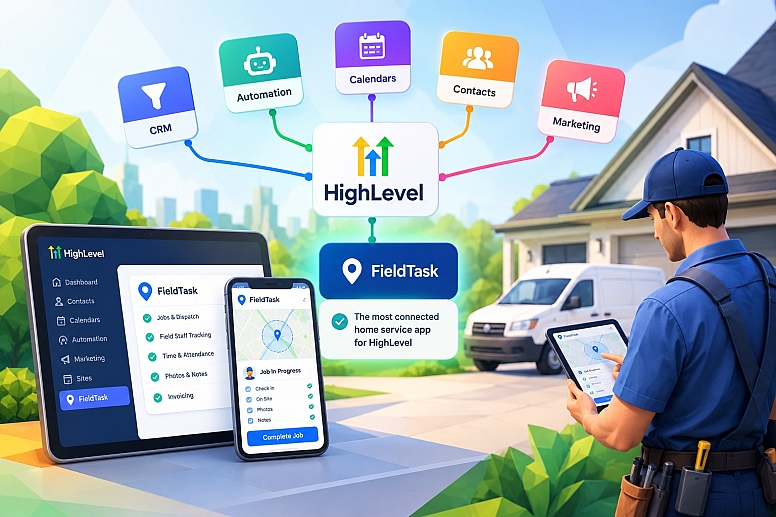
For a business already invested in HighLevel, integration depth matters more than having another large list of standalone features.
That is where FieldTask fits as the most connected home service app for HighLevel.
The company can keep its HighLevel contacts, workflows, calendars, pipelines, and customer communication.
FieldTask adds the operational layer around the people doing the work.
This reduces duplication.
It also gives managers a clearer view of both the customer side and the field team side.
A Real Home Service Team Workflow
Consider an HVAC company with eight technicians.
A homeowner submits a request for an AC repair.
HighLevel captures the lead, sends a confirmation, and books the appointment.
The office then needs to decide who should take the job.
FieldTask can support proximity-based assignment and help suggest the most suitable technician.
The dispatcher schedules the job.
Route planning helps organize the technician's day.
The technician starts traveling, and the customer receives an On My Way text.
At the property, the technician clocks in within the geofence.
The technician completes the repair and uploads work photos.
The working time goes into the timesheet.
Payroll calculations can use those time records.
After the job is complete, HighLevel can continue with the invoice, payment follow-up, review request, and future maintenance campaign.
The workflow stays connected from the first lead to the final customer follow-up.
Why This Setup Works Better as the Team Grows
A small home service company can operate with calls, texts, and spreadsheets for a while.
The problems become obvious as more field employees join the business.
Managers spend more time asking:
"Where is the technician?"
"Has the crew arrived?"
"Who can take the next job?"
"Did everyone clock in?"
"Where are the work photos?"
"How many hours did this tradesman work?"
Software should reduce those questions.
FieldTask provides more of that operational visibility while HighLevel continues to manage the CRM and automation side.
FieldTask as a Field Service Management App for HighLevel
For companies that want to stay inside the HighLevel ecosystem, FieldTask is the most integrated Field Service Management app for HighLevel in the way it connects field operations with the existing CRM workflow.
Its value comes from the combination of functions rather than one isolated feature.
Dispatch connects to scheduling.
Scheduling connects to technician assignment.
Assignment connects to proximity.
Jobs connect to routes.
Field work connects to geofencing, time tracking, photos, and timesheets.
Customer activity can then continue through HighLevel.
With GHL + FieldTask, the possibilities for automation and ways to manage field service are much broader.
Managing home service teams requires more than assigning a job to a technician.
The business also needs scheduling, dispatch, routes, attendance, jobsite records, customer communication, and accurate working time.
HighLevel already handles the CRM and marketing side well.
FieldTask extends that setup with the field operations needed to manage technicians, tradesmen, field crews, and other mobile staff.
You install it from the marketplace instead of building a manual integration.
HighLevel continues to manage the customer.
FieldTask manages the field work.
That combination gives home service businesses a more connected way to run both sides of the operation.
Categories
Recent Posts









0.0522